See the agent sessions behind your commits
Entire captures agent sessions into checkpoints — git objects on entire/checkpoints/v1. Git Navigator adds an Entire activity that turns those checkpoints into a browsable history: the conversation timeline, the tool calls, and the commits, all cross-linked to the graph you already work in.

What the Entire activity shows
Agent-session viewer
Open a session and read its conversation timeline. Tool-call rows expand inline so you can see exactly what the agent ran — commands, edits, and results — alongside the messages.
Graph checkpoint overlay
Checkpoints show up against the commit graph, so you can jump from a commit to the session that produced it and back again through the cross-links.
Full-text transcript search
Search across session transcripts to find the moment a decision was made or a command was run, then open that session at the match.
Filter sessions by branch
Sessions are resolved by the branches that contain their checkpoint commits — including merge targets and squash merges — with branch counts, merge-path indicators, and linked branch chips, so you can scope the list to the work you care about.
Finding your way around
-
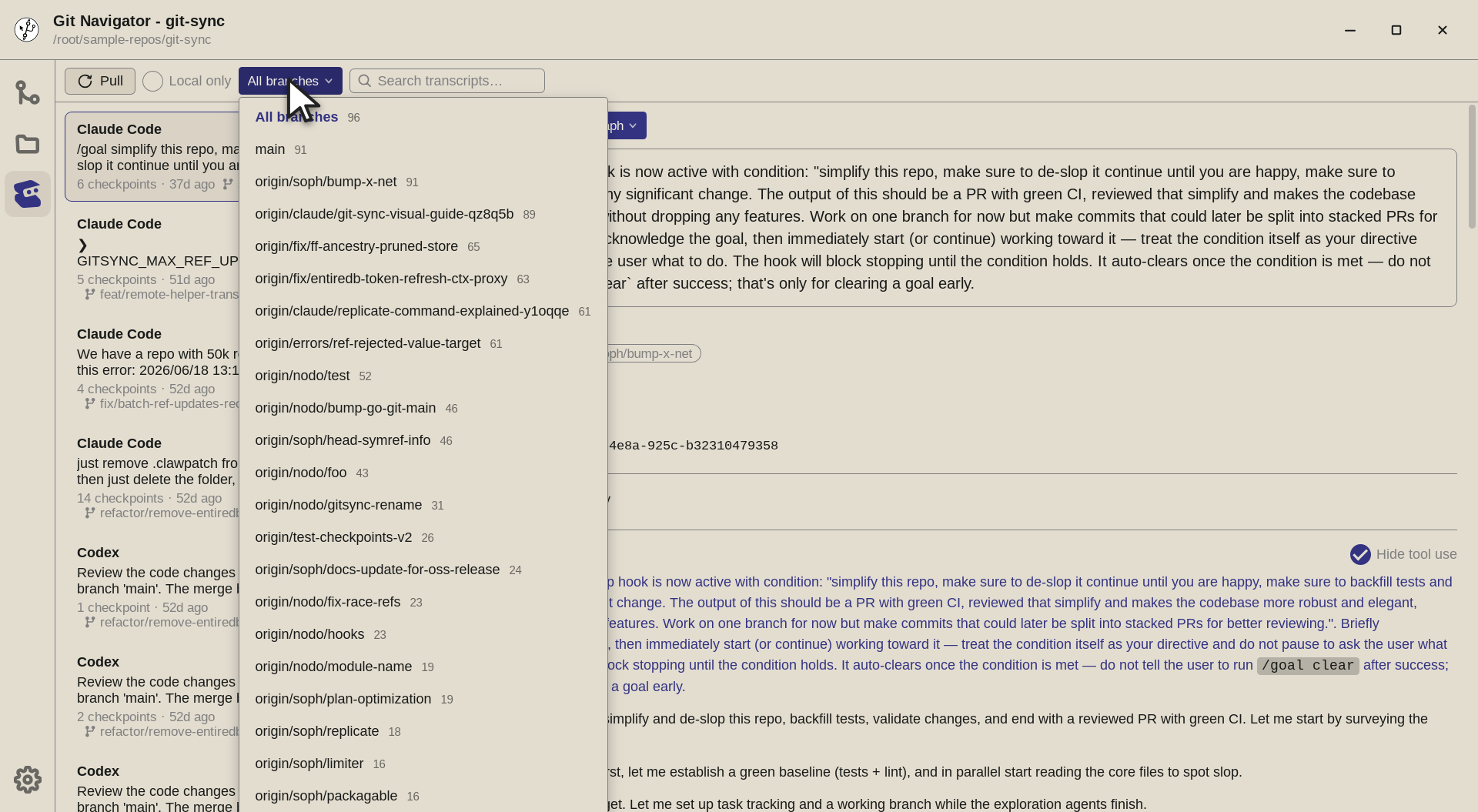
Filter by branch. The branch dropdown resolves each session by the branches its checkpoints belong to — including merge targets — and shows a session count per branch, so you can scope the list to just the work that landed on a given branch. -
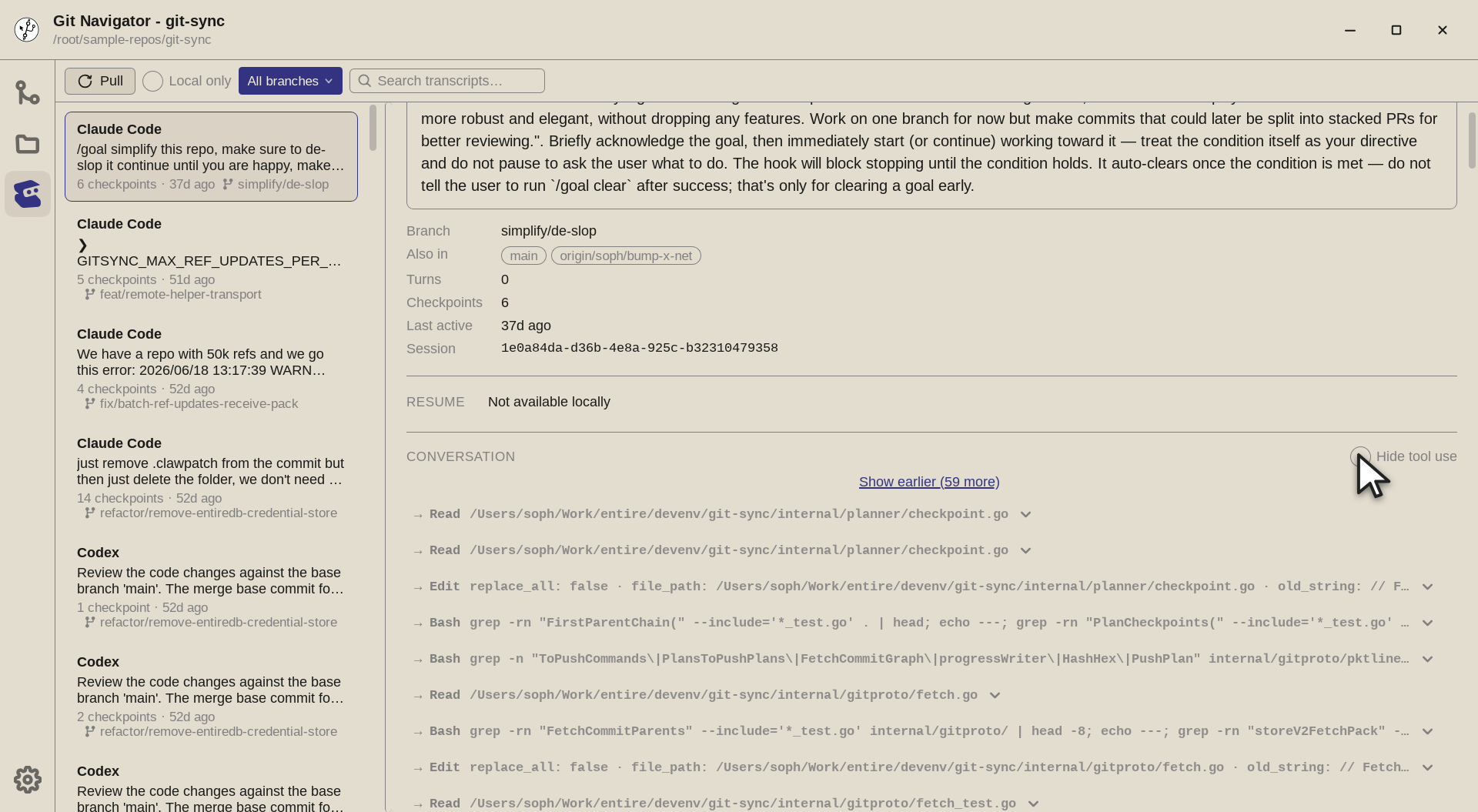
Show tool calls. Turn off Hide tool use to reveal the tool-call turns inline — every Read,Edit, andBashthe agent ran — each expandable to its full command and output alongside the conversation. -
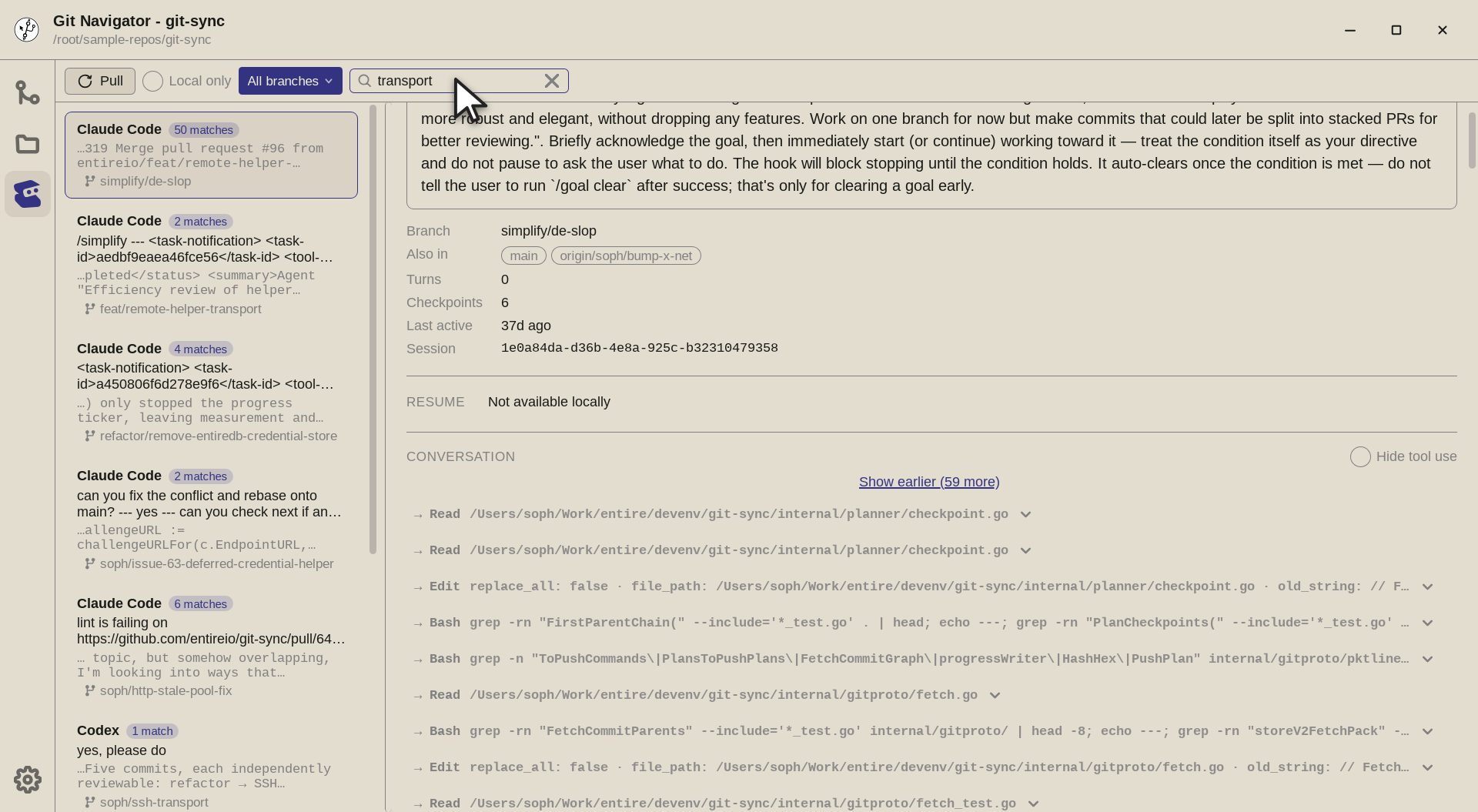
Search transcripts. Search across every session's transcript at once. The list narrows to sessions with matches (with per-session match counts) and shows the matching snippet, so you can jump straight to the moment something happened.


Using the Entire activity
- Install the Entire CLI. The Entire activity appears in the rail once the Entire CLI is available and the repository has checkpoints on
entire/checkpoints/v1. Git Navigator probes for the CLI and only shows the activity when it is ready. - Open a session. Pick a session to read its conversation timeline. Expand any tool-call row to see the underlying command and its output inline.
- Cross-link to the graph. Follow the checkpoint overlay to move between a session and the commits it produced, keeping the agent history and your git history in one place.
- Filter and search. Narrow the session list to specific branches using the branch chips, or run a full-text search across transcripts to find a specific moment.
Frequently asked questions
What is the Entire integration in Git Navigator?
It is an activity that surfaces Entire agent-session checkpoints — git objects stored on entire/checkpoints/v1 — as a browsable history: a session viewer with an expandable conversation timeline, a checkpoint overlay on the commit graph, cross-links between them, and full-text transcript search.
Why don't I see the Entire activity?
The activity only appears once the Entire CLI is installed and ready and the repository has checkpoints. Git Navigator probes for the CLI at startup and keeps the activity hidden until it reports ready, so a repo without Entire checkpoints simply won't show it.
Can I filter agent sessions by branch?
Yes. As of v0.4.0, sessions are resolved by the branches that contain their checkpoint commits — including merge targets and squash merges — and shown with branch counts, merge-path indicators, and linked branch chips so you can scope the list.
Which agents does this work with?
Entire captures sessions from agents such as Claude Code and Cursor; Git Navigator reads whatever checkpoints Entire has recorded for the repository. See the Entire project for how sessions are captured.